
How to Build a LinkedIn Profile That Recruiters Actually Notice
By Gokul · · 4 min read
Recruiters and alumni look you up on LinkedIn before an interview, and sometimes before they even respond to your application. A profile that says only “Student at XYZ College” gives them nothing to go on. A few focused changes make it far more likely you get noticed.
In short: use a clear photo, a headline that names the role and skills you want to be found for, a short and specific About section, pinned projects, and a small amount of regular activity.
Photo and Headline
These are the two things people see before they click into your profile, so they carry more weight than most freshers expect.
Photo: a recent, clear, front-facing photo with a plain background and appropriate clothing. No group photos, filters or logos.
Headline: this is not your job title field, it is a short pitch. Instead of “Student at XYZ College”, try the role you want plus two or three key skills, such as “Aspiring Backend Developer | Java, Spring Boot, SQL | Final-year CSE Student”.
Recruiters often search LinkedIn by keyword, so a headline with the right words can get you found even before you apply.
An About Section That Isn't Cringe
Many fresher About sections either repeat the resume word for word or lean on generic lines like “I am a passionate and hardworking individual”. Neither tells a recruiter anything specific. Keep it to three or four short lines instead, written like you would explain yourself to a person, not a form.
Line 1: who you are and what you are studying.
Line 2 to 3: what you have built or worked on, with one concrete detail or result.
Last line: what you are looking for next.
Example: “Final-year Computer Science student with a focus on backend development. Built a food delivery app with real-time order tracking and a college FAQ chatbot using Python. Comfortable with React, Node.js and SQL, and currently exploring system design. Looking for a software development role where I can work on real products and keep learning.”
Replace every detail with your own real projects and skills. A specific, true sentence is always stronger than a polished but vague one.
Showcasing Projects and Certificates
As a fresher, your projects and certificates are your main proof of skill, so make them easy to find rather than buried in a resume attachment.
Featured section: pin your best two or three projects here, with a short description, a link to the code or a live demo, and the tools you used.
Licenses & certifications: add only certificates you can explain if asked, and only from platforms recruiters recognize.
Experience section: add internships and significant college projects here too, each with one or two lines on what you did and the result, the same way you would write a resume bullet.
A profile with three well-described projects is more convincing than one with ten certificates and no detail on any of them.
Connecting With Recruiters and Alumni
A LinkedIn profile only helps if people see it, so building the right connections matters as much as the profile itself.
Connect with alumni from your college who work at companies you are interested in, with a short personalized note explaining why you are reaching out.
Follow company pages you are targeting, so you see their job posts and updates.
Connect with recruiters and HR professionals you meet at campus drives or webinars soon after, while the interaction is still fresh.
Join and stay active in relevant groups or communities in your field.
Always add a short note with a connection request rather than sending it blank. A one-line reason gets accepted far more often than no message at all.
Posting Tips
You do not need to post often. A small, consistent amount of activity keeps your profile from looking abandoned and puts you in front of your network.
Share when you finish a project or a certification, with what you learned, not just the certificate image.
Comment thoughtfully on posts from people in your field. This is often more visible than posting yourself.
Avoid generic motivational posts that do not say anything specific about your own work.
Keep posts short and specific. One clear idea beats a long, unfocused update.
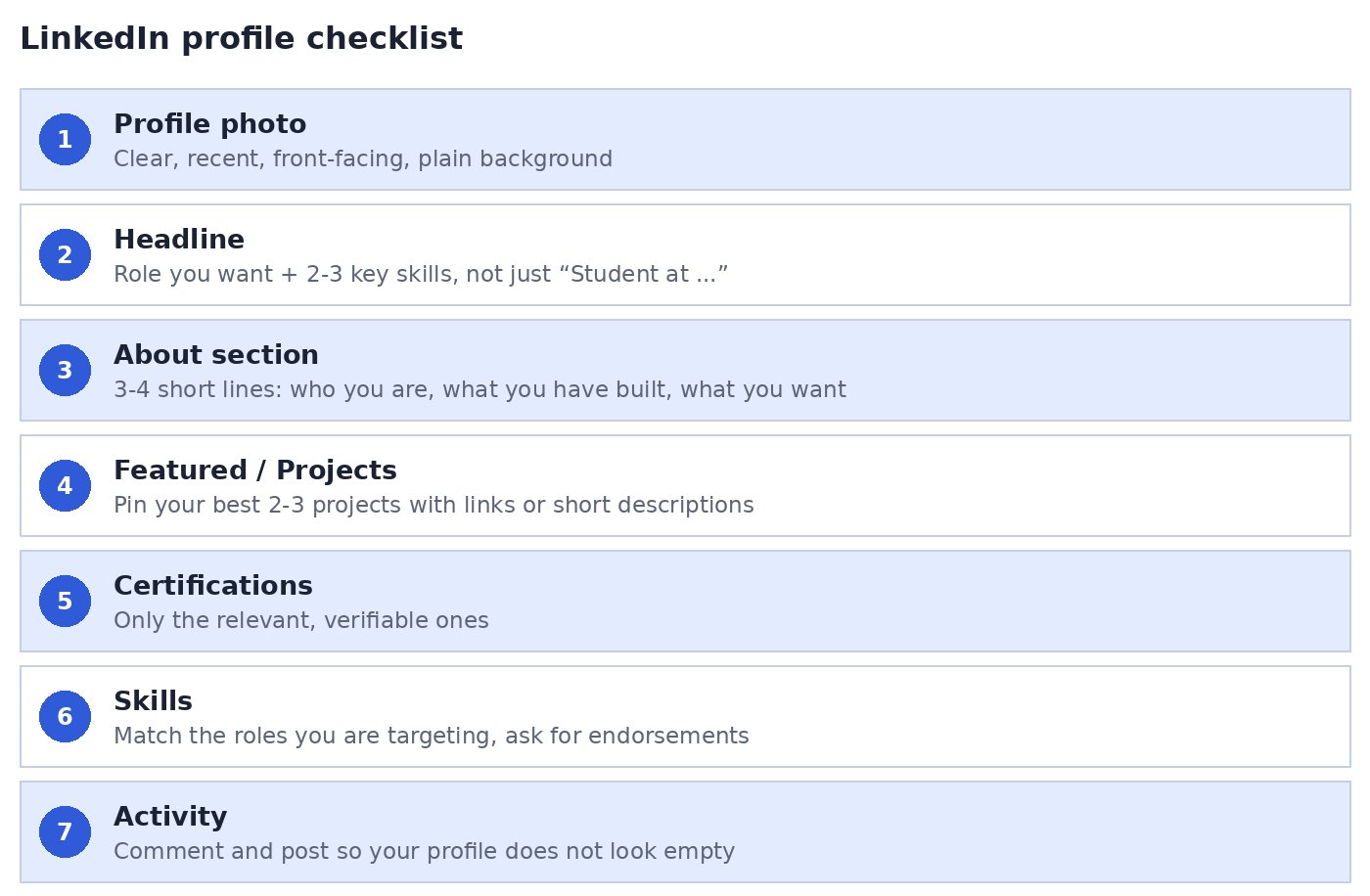
Quick Checklist
Build the Profile, Then Prove It
A strong profile gets you noticed. What backs it up is your actual skill level. Follow Skillrank on LinkedIn for more tips like this, and take the Employability Test on Skillrank to see where you stand before you put yourself in front of recruiters.